
When Stoneacre Motor Group, a car dealership network in the UK, started expanding fast, their marketing team hit a wall. Every branch had its own Facebook page, Instagram account, and unique “way of doing things.” Posts were inconsistent, replies slipped through the cracks, and no one knew who had approved what. It was chaos that looked creative on the surface but wasn’t working behind the scenes.
That’s when they switched to social media collaboration software that brought everything under one roof. Branch managers could plan posts and get quick approvals from head office without endless email threads. Even showroom staff joined in, snapping photos and uploading them straight to their tool for review.
The change was instant. The brand’s voice became consistent, content looked sharper, and the team collaboration process finally made sense. Campaigns ran smoother, and social media management became easier for everyone to handle.
Stoneacre’s story shows what the right collaboration tool can do. When teams work together in one place, ideas move faster and results improve. That’s what we’ll explore here—how modern collaboration software helps creative teams stay connected and confident in what they post.
What is social media collaboration software and how does it improve team collaboration?
Social media collaboration software is a digital workspace that helps teams plan and publish social media content together. It brings project management and communication into one place, making it easier to coordinate posts and keep campaigns consistent across platforms.
For any marketing team that needs structure, it turns scattered workflows into one smooth process.
Here’s what makes these tools so valuable:
1. Clear organization – A good collaboration tool serves as both a project management and social media management platform. It centralizes campaigns, deadlines, and conversations so no detail gets lost.
2. Easier teamwork – With shared dashboards and real-time updates, team collaboration becomes faster and more transparent. Everyone can see what’s next, who’s responsible, and how each task fits into the bigger picture.
3. Faster feedback loops – Reviewing content or design assets happens inside the tool itself, reducing delays. Teams can give feedback directly, keeping everything connected to the task.
4. Smooth task tracking – Tools like Slack or Trello make task management visual and simple. Boards, lists, and reminders keep work moving forward without endless check-ins.
5. Stronger marketing alignment – Marketing collaboration tools help copywriters, designers, and strategists work together seamlessly. Everyone shares context and sees updates in real time, which helps campaigns stay consistent and on schedule.
6. Better creative flow – When teams know exactly what’s happening, creativity feels easier. Fewer missed deadlines and fewer misunderstandings mean more energy spent on great ideas instead of fixing chaos.
5 best team collaboration social media tools for 2025 (and 2026)
There’s no shortage of platforms claiming to be the next best social media collaboration tool, yet many teams still juggle too many tabs. What actually helps is collaboration software that keeps ideas and approvals in one place without the mess of endless email threads.
The tools below aren’t about flashy dashboards or vague productivity promises. Each earns a spot because it aligns best with your team’s goals to publish faster and communicate better while keeping content consistent.
These are the best collaboration options for anyone who wants smoother workflows, focused communication, and a workspace that finally feels manageable. For both small agencies and global teams, the right software makes everyday collaboration easier and far less chaotic.
Sprout Social – best for managing workflows and approvals

Sprout Social is a social media management tool built for structured teamwork. It focuses on collaboration and approval workflows that allows your team to create, plan, review, and publish content without confusion. The tool aims to deliver seamless collaboration between social media marketers, designers, and managers who handle scheduling and campaign tracking.
Sprout Social features
- Collaboration and approval workflows that keep messaging consistent.
- A visual social media calendar for planning across several platforms.
- Reporting dashboards with detailed performance analytics of all connected social media accounts.
- Built-in project management software for assigning and following tasks.
- Integration with tools such as Canva, Google Drive, and Dropbox.
Sprout Social pros
- Approval chains reduce errors and keep campaigns aligned.
- Analytics reports provide detailed insights that help refine strategy.
- The interface feels organized, which makes onboarding smoother for new users.
Sprout Social cons
- Pricing is high and the entry plan limits the number of connected profiles.
- Some reports are difficult to read, and the large volume of data can overwhelm new users.
- Certain features like Reels scheduling or full LinkedIn tagging are still missing.
- Users have reported slow responses from support and difficulties when canceling plans.
Compared with Buffer, which keeps things simpler and cheaper, Sprout’s platform for social media collaboration stands out for structure and control. It suits teams that manage complex workflows but may be too costly or rigid for smaller groups.
Sprout Social pricing
- Standard plan – $199 per user / month (billed annually). Supports up to five social profiles, includes keyword and location monitoring, and detailed reporting.
- Professional & Advanced – $299 per user / month (billed annually). Adds unlimited profiles, message tagging, asset libraries, and custom workflows.
- Enterprise – Custom pricing with onboarding assistance, priority support, and SSO.
- Add-ons – Advanced Listening available from $999 per month.
💡 A strong platform for structure-heavy teams, though cost can rise quickly with multiple users.
Vista Social – great for social media content creation

Vista Social is a collaboration platform that allows marketing teams to plan, create, and publish social content in one shared space. It focuses on fast approvals and organized workflows, making it easier to approve content for social and measure social media performance across channels. The platform is built for teams that want to stay coordinated without paying enterprise-level prices.
Vista Social features
- Collaborative workspace for planning and social media publishing.
- Approval tools that keep feedback clear and trackable.
- Visual content calendar for scheduling across multiple profiles.
- Analytics dashboard for engagement and growth insights.
- Automation options that simplify reporting and scheduling.
Vista Social pros
- The approval process is quick, which helps teams keep momentum.
- Pricing is accessible for small and mid-sized teams.
- The analytics layout is simple and easy to understand.
Vista Social cons
- Some integrations are limited, especially compared with larger tools.
- The mobile version can feel slower during bulk uploads.
- It lacks more advanced listening and CRM functions.
While Sprout Social covers deeper analytics and audience tracking, Vista makes everyday publishing easier. It’s best for managing content creation and approval when you need structure but want to keep things lightweight.
Vista Social pricing
- Free plan – Basic publishing and analytics for small teams.
- Standard – $39 per month; ideal for startups managing a few profiles.
- Professional – $79 per month; expands profile limits and reporting options.
- Advanced – $149 per month; adds analytics depth and automation tools.
- Enterprise – $379 per month or custom; built for agencies with large portfolios.
💡 Accessible pricing and easy workflow management make Vista a practical choice for most teams.
Microsoft Teams – ideal for cross-department collaboration
Microsoft Teams is a collaboration tool that allows your workflows to fit naturally into Microsoft’s ecosystem. It combines chat and meetings in one place, which keeps team collaboration flowing without constant switching between apps. For marketing departments that rely on input from different specialists, the social media collaboration software keeps everyone aligned in real time.
Microsoft Teams features
- Built-in chat and video meetings for daily coordination.
- Shared file storage through OneDrive and SharePoint.
- Project channels that organize campaign discussions.
- Integrations with tools such as Planner, Trello, Asana, and others.
- Permissions and roles that help each team member stay aligned.
Microsoft Teams pros
- Real-time messaging and video options help reduce delays.
- Deep integration with Microsoft 365 improves project management for existing users.
- Custom channels help teams focus on one goal at a time.
Microsoft Teams cons
- The interface can feel crowded with tabs or notifications.
- Guest users often face problems with access permissions.
- The search function feels limited compared with newer platforms.
Slack provides faster communication, while Teams shines through tight integration with Microsoft tools. It’s ideal for larger groups that already use Microsoft 365 and want smoother coordination between departments.
Microsoft Teams pricing
- Free – Chat, calls, and file sharing for individuals or small groups.
- Essentials – $4 per user / month; adds meeting scheduling and more file storage.
- Microsoft 365 Business Basic – $6 per user / month; includes Teams, Outlook, and cloud apps.
- Premium add-on – $10 per user / month; adds AI summaries and advanced meeting options.
💡 Ideal for companies already using Microsoft 365 that want everything in one place.
Canva – the best design tool for social media collaboration
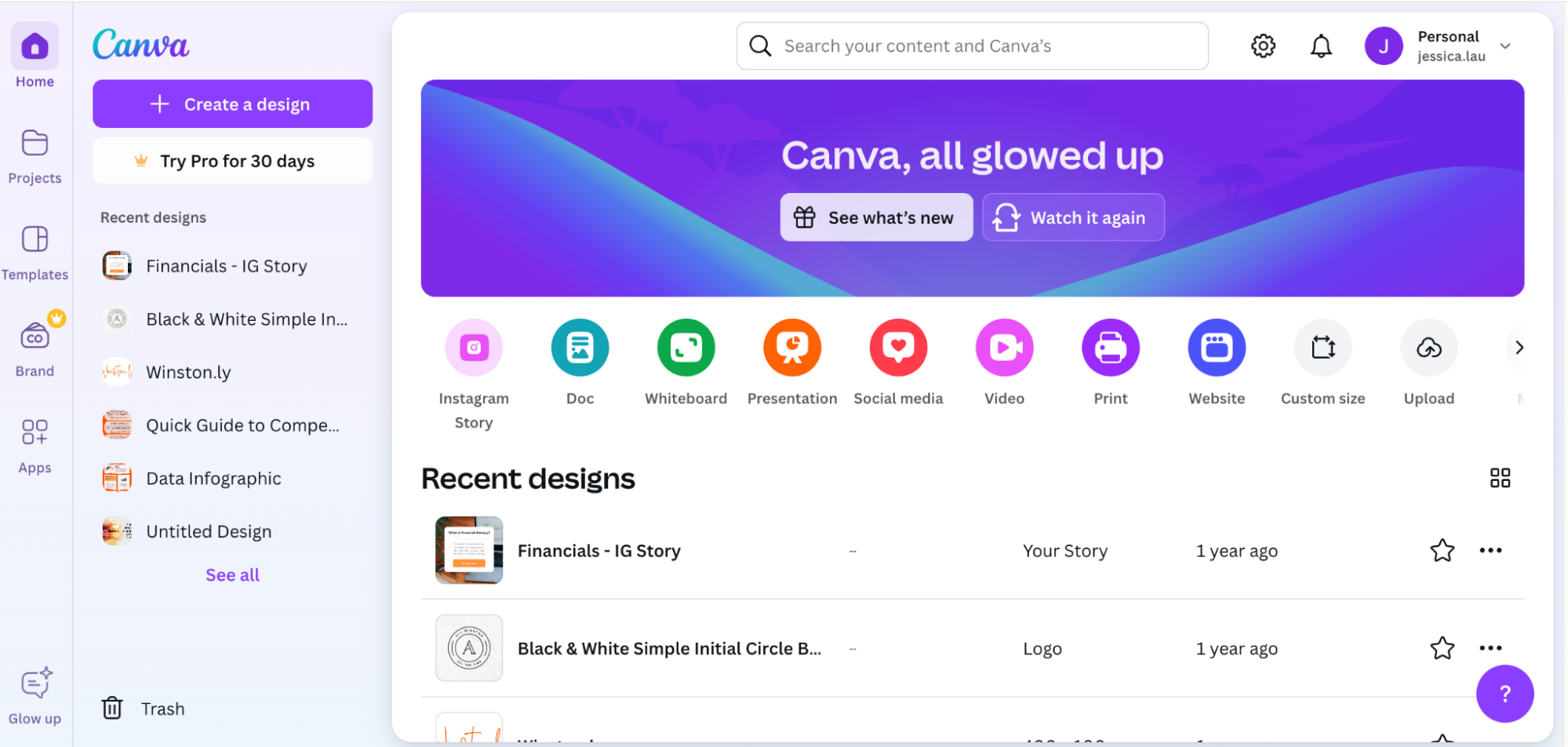
Canva is a design tool created for teams that work together on social media content. It helps marketers produce visuals quickly and keep every project organized. The software supports social media team collaboration by combining design creation with communication tools, helping users manage both feedback and publishing from the same workspace.
Canva features
- Drag-and-drop editor for quick visual creation.
- Shared folders for templates and brand assets.
- Commenting tools that support feedback in real time.
- Scheduler for posting content to social channels.
- Integration with team collaboration apps such as Slack, Google Drive, Dropbox, and others.
Canva pros
- The platform is simple to use and flexible for teams of any size.
- Collaboration tools make it easy to review designs without switching apps.
- The free version works well for small or growing groups.
Canva cons
- Complex projects can slow the system.
- The web version may crash when exporting large files.
- Color and quality sometimes vary from professional design software.
Adobe Express offers more advanced editing for social, while Canva focuses on speed and teamwork. It’s a good fit for social collaboration where coordination and quick delivery matter most.
Canva pricing
- Free plan – Core templates and editing tools for individuals.
- Pro – $12.99 per month or $119.99 per year; gives one user brand kits, background remover, and premium assets.
- Teams / Business – Starts around $14.99 per month for up to five users; may cost more in some regions.
- Enterprise – Custom plan for large organizations that need brand control and workflow security.
💡 Simple and collaborative, Canva fits creative teams that want quick visuals without complex setup.
Trello – perfect for project and task management

Trello is one of the most popular team collaboration tools for visual project management. It organizes work through boards, lists, and cards that represent tasks and deadlines. The platform is often used by marketing, design, and content teams that want a simple structure for shared projects. Trello’s layout is clean and adaptable, which makes it easy for any team to collaborate and track progress at a glance.
Trello features
- Boards that visualize projects and ongoing tasks.
- Custom lists for planning stages or priorities.
- Cards that store files, checklists, and due dates.
- Power-Ups that connect Trello with apps such as Slack or Google Drive.
- Workflow automation that reduces repetitive work.
Trello pros
- The visual layout helps users grasp project status instantly.
- Flexible structure adapts to different team sizes and workflows.
- Integrations extend Trello into a light collaboration software solution.
Trello cons
- Managing large projects can become cluttered without paid Power-Ups.
- The mobile version lacks some desktop features.
- Limited reporting makes it harder to analyze productivity trends.
Asana handles complex reporting better, but Trello excels at simplicity and accessibility. It’s a practical choice for teams that value a clear workspace and easy task management over advanced analytics.
Trello pricing
- Free plan – Unlimited personal boards and up to ten shared boards per workspace.
- Standard – $5 per user / month; includes unlimited boards, custom fields, and basic automation.
- Premium – $10 per user / month; unlocks advanced views, admin controls, and extended automations.
- Enterprise – Starts around $17.50 per user / month; adds SSO, user management, and enhanced security.
💡 Trello shines for visual planning and team tracking but lacks deep reporting features.
Improving your social media strategy and results with social collaboration tools
Strong teamwork helps any social media plan perform better. With social media collaboration software, marketers can plan campaigns and track progress in one place. The steps below show how using a collaboration tool supports better organization and a more focused social media strategy.
1. Plan and execute campaigns together
Online collaboration tools bring your whole team into one space where everyone can plan and manage social media campaigns together. You can map goals, think of social media usernames, assign social media tasks, and write social media posts without switching platforms.
These tools make it easy to collaborate with your team and keep each project organized. Working in one shared workspace turns planning into a clear, structured process that supports a stronger social media strategy.
Take action: Use a shared campaign calendar and collaborative tools like tagging or task assignment to keep everyone informed.
2. Build a faster and more connected workflow
When teams work across multiple social media platforms, coordination can get messy. Third-party tools like Buffer or Hootsuite enable teams to schedule posts, share updates, and manage campaigns from one dashboard.
Shared calendars, reminders, and automation features keep the social media workflow moving smoothly. These marketing tools reduce confusion, save time, and improve your social media results by connecting planning and publishing.
Take action: Link your social media collaboration software with your project management system to track progress across all social media channels.
3. Adopt daily collaboration best practices
Social media collaboration made easy depends on structure. Set clear roles so everyone knows their focus—who creates, who reviews, and who publishes.
Use social media collaboration software features like tagging, quick notes, or file comments to share feedback. Regular check-ins help keep campaigns on track and build successful social media collaboration habits. You keep content fresh and consistent while supporting ongoing growth in social media marketing.
Take action: Begin each week with a short review and end it by checking which posts delivered the strongest engagement.
4. Track performance to refine strategy
Social media efforts don’t end after posting. Management software and analytics dashboards show how your content performs across social channels like forums, message boards, and platforms such as LinkedIn. These tools help teams see audience reactions, spot engagement trends, and plan improvements.
When turning data into insights, your team can refine both messaging and timing for future campaigns. Tracking results is part of good project management and helps you improve your social media results with real evidence.
Take action: Hold monthly review sessions to discuss data trends and update your strategy as needed.
5. Commit to continuous improvement
The right social media collaboration software also support learning. Use social listening to understand what your audience enjoys and what needs work. As feedback comes in, adjust your social media workflow, experiment with content formats, and use marketing tools to measure results. Your team can stay creative and improve your social media strategy with every campaign.
Take action: Keep a shared folder or dashboard for campaign insights and update it after each project to guide your next steps.
Smarter teamwork, stronger social media results
Social media collaboration tools keep teams aligned and creative without the chaos. With one shared workspace, you plan faster, approve easier, and post with more confidence. Pick the tool that fits your team’s rhythm—and let your content speak with one clear voice.